306
Sprunki Shifted Boxduds Take Phase 3
Sprunki Melody Attack

River Drift

Sprunki - You Found Sprunk Media
Sprunki The Definitive Phase 10

Heal Injured Sprunkies
Sprunki Gray's Dreams
Sprunki Betters And Loses Phase 4

Parking Adventure
Neon Rush
Sprunki Phase 5 Definitive
Sprunki Looping the Rooms
Sprunki Adventure 3
Splunko Drip
Sprunki Shifted Lyra’s Take
Sprunki

Sprunki Phase 5

Sprunki Phase 4
Sprunki Retake
Sprunki Phase 3
Sprunki Wenda Treatment
Sprunki The Suns Domain
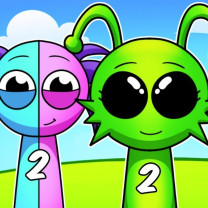
Sprunki 2

Sprunki Phase 9
Sprunki Double Date
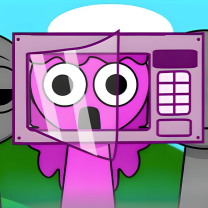
Sprunki OC Real
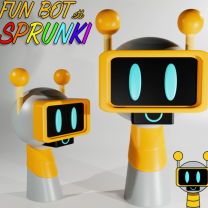
Sprunki Phase 6

Sprunki Phase 1
Sprunked

Sprunki Mustard
Sprunki Run Mix
Sprunki Phase 8

Poppy Playtime Chapter 5

Sprunki 2026
Sprunki Phase 2
Sprunki OC V3

Sprunki OC Maker
Sprunki Playground Mod

Sprunki 1996
Incredibox Classroom 401 is a music creation game and fan-made mod within the Incredibox universe. Its genre blends casual music gameplay, interactive sound design, and creative sandbox mechanics. Players drag and drop sound icons onto animated characters to create layered music tracks, unlocking visual bonuses and hidden musical combinations along the way.
Because it is a MOD, Classroom 401 is not an official Incredibox release, but it fully respects the original gameplay formula while offering completely new content, sounds, and aesthetics.

Classroom 401 was created by the fan developer @FrikiYonix, who wanted to reinterpret the Incredibox 301 mix through a personal lens. The MOD transforms the game into a creative tribute rather than a straightforward remix by using avatars inspired by the creator's actual classmates in place of generic characters.
Classroom 401 attracted notice for its poignant tone, unified sound design, and deliberate visual style as Incredibox mods grew in popularity within the community. It serves as an illustration of how fan creativity can transform a well-known idea into something significant and original.
Playing Incredibox Classroom 401 is simple and accessible, even for first-time players:
Layered music creation is the main focus of the game. Every character adds a looping sound that is precisely timed to the overall beat. The music gets richer and more intricate as more layers are added.
Classroom 401's emotive sound palette makes it stand out. The vocal elements have a unique tone that reflects the MOD's classroom theme, the melodies are expressive, and the beats are laid-back. Bonus animations can be unlocked to add a visual narrative that improves the musical experience without interfering with gameplay.