0
Saving Gray From Lava

Fish Dive

Pizza Clicker
Meccha Chameleon
Sprunki Shifted Boxduds Take Phase 3
Sprunki Melody Attack

River Drift
Sprunki - You Found Sprunk Media
Sprunki The Definitive Phase 10

Heal Injured Sprunkies
Sprunki Gray's Dreams
Sprunki Betters And Loses Phase 4

Parking Adventure
Neon Rush
Sprunki Phase 5 Definitive
Sprunki

Sprunki Phase 4
Rotate Rush
Sprunki Phase 3

Sprunki Phase 5
Meccha Chameleon
Sprunki Retake
Sprunki Phase 8
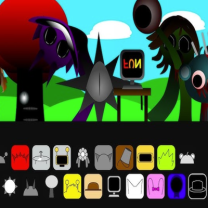
Sprunki Phase 15
Sprunki Wenda Treatment
Sprunki Phase 14
Sprunki Phase 9
Sprunki Phase 11
Sprunki Phase 10
Sprunki The Suns Domain
Sprunki 2
Friday Night Funkin'
Sprunki Double Date
Sprunki OC Real
Sprunki Phase 6

Sprunki Phase 1
Sprunked

Sprunki Mustard
Sprunki Run Mix
Sprunki Symphony of Pride is an inventive fan-created Sprunki mod that transforms the classic music-mixing experience into a colorful celebration of rhythm, imagination and self-expression. The game draws inspiration from the joyful spirit of Pride Month and swaps the darker horror themes often found in Sprunki mods for bright visuals, energetic animations, and uplifting sound design.
All characters have been redesigned, featuring unique costumes, expressive moves, and original audio loops. As you build your band, every performer adds a different beat, melody, vocal, or special effect. This results in a dynamic soundtrack that changes with every new combination. There are so many ways to arrange the characters that no two sessions sound the same.
Whether you're an experienced Sprunki player or trying the series for the first time, Sprunki Symphony of Pride offers an accessible and relaxing environment where creativity takes center stage. The simple drag-and-drop mechanics make it easy to experiment, while the variety of sounds keeps players coming back to discover fresh musical mixes.
It’s quick and beginner-friendly to get up and running. Build your own musical performance by choosing characters and placing them on the stage.
Each character plays a different musical role, such as percussion, vocals, bass, melody, or sound effects. Drag a character into a free slot to activate a sound. Keep adding performers to layer rhythms and build a complete composition. At any time, you can replace or remove any character to instantly change the music.
Instead of completing levels or defeating enemies, you’re experimenting with sound combinations and making tracks that fit your personal style. Try different arrangements to unlock surprising harmonies and exciting musical patterns.
The controls are intentionally simple, allowing players of all skill levels to jump into the experience.